

These AI Tools Save You Hours Every Day
AI Productivity · 2026
These AI Tools Save You Hours Every Day
(And You’re Not Using Them Yet)
Most people collect AI tools the way they collect gym memberships — paying for five while actually using one. This guide cuts through the noise with honest decision frameworks, real workflows, and the uncomfortable truths the listicles skip.
WORK
TL;DR
- The average knowledge worker spends roughly 57% of their time on coordination tasks — meetings, email, status updates — not actual work. That’s the gap AI fills best.
- Most guides list 15+ tools. Realistic answer: you need three to five, chosen for your specific bottlenecks.
- The biggest productivity failure isn’t choosing the wrong tool — it’s using a second tool to fix what the first one should have done.
- Agents (tools that complete tasks) and assistants (tools that help with tasks) serve different purposes. Conflating them is the most expensive mistake in most AI stacks.
- If a tool doesn’t save you time in the first week, it won’t save you time ever.
Should You Even Do This?
Before you build an “AI productivity stack,” answer one question: where does your time actually go? Not where you think it goes. Pull up your calendar and email for the last two weeks and look.
Most people who say they’re “not productive enough” are actually quite productive at coordination tasks — they’re just not productive at the work itself. AI tools are exceptional at the former. They are mediocre-to-useless at the latter unless you’ve already spent time designing the system.
Build an AI productivity stack if…
Proceed if you…
- Spend 3+ hours per day in meetings or async communication
- Write similar content repeatedly (reports, emails, briefs)
- Do research that requires synthesizing multiple sources
- Need to produce first drafts quickly, even if imperfect
- Manage recurring workflows with clear inputs and outputs
Skip (or wait) if you…
- Do mostly hands-on, physical, or real-time work
- Have no consistent processes to automate
- Are under 6 months into a new role (learn the job first)
- Can’t commit to a 2-week learning curve per tool
- Already use 4+ AI tools with unreviewed overlaps
The 57% Problem Nobody Talks About
Microsoft’s research into modern knowledge work found that roughly 57% of the average professional’s working time gets consumed by communication and coordination — meetings, email, chat messages, status updates. Only the remaining 43% goes toward what they term “focused creation.”
That’s the inversion that makes AI tools so disproportionately valuable right now. You’re not trying to automate your most complex thinking. You’re trying to recover the hours that disappear into scheduling, summarizing, following up, formatting, and organizing.
The real opportunity
Even a 20% reduction in that coordination overhead — entirely achievable with two or three well-chosen tools — translates to 45 to 90 minutes of recovered focus time per working day. At scale, over a year, that’s meaningful. The math isn’t the hard part. The discipline to stop adding tools before mastering the ones you have is.
The problem with most “best AI tools” guides is that they’re optimized for clicks, not for decisions. They list 20 tools across 8 categories, give each one a paragraph, and leave you exactly where you started: overwhelmed, subscribed to three trials, and no clearer about what to actually do.
This guide works differently. For each category, there’s a decision framework before the tool list. If your situation doesn’t match, skip the category entirely. Time saved reading is also time saved.
Agents vs. Assistants: The Distinction That Changes Everything
The single most important conceptual division in AI productivity is between agents and assistants. Most people treating them interchangeably are either overpaying or underutilizing their stack.
| Dimension | AI Assistant | AI Agent |
|---|---|---|
| What it does | Helps you do a task | Completes the task for you |
| Your involvement | Active throughout | Review at the end |
| Best for | Complex, judgment-heavy work | Clear, repeatable processes |
| Examples | Claude, ChatGPT, Perplexity | Make.com, Zapier, n8n |
| Failure mode | Produces mediocre output if your prompts are weak | Automates the wrong thing confidently |
| Learning curve | Days to weeks for real value | Weeks to months for reliable workflows |
What people get wrong
Many professionals buy an agent platform (like Zapier or Make.com) hoping it will do their thinking. It won’t. Agents are only as good as the process you’ve already designed. If you can’t write your process out in 10 clear steps, the agent will fail in ways you won’t detect until something breaks in production. Assistants first. Agents once the process is documented.
The Five Tool Categories That Actually Move the Needle
After stripping away tools that duplicate each other, overlap with existing software, or require more setup time than they save, five categories consistently provide real ROI for knowledge workers.
1. Meeting Intelligence
In one sentence: Tools that turn live or recorded meetings into searchable summaries, decisions, and action items — without you touching the transcript.
The standard productivity advice of “take better notes” has never worked at scale. Meeting intelligence tools skip the note-taking entirely.
Best for teams
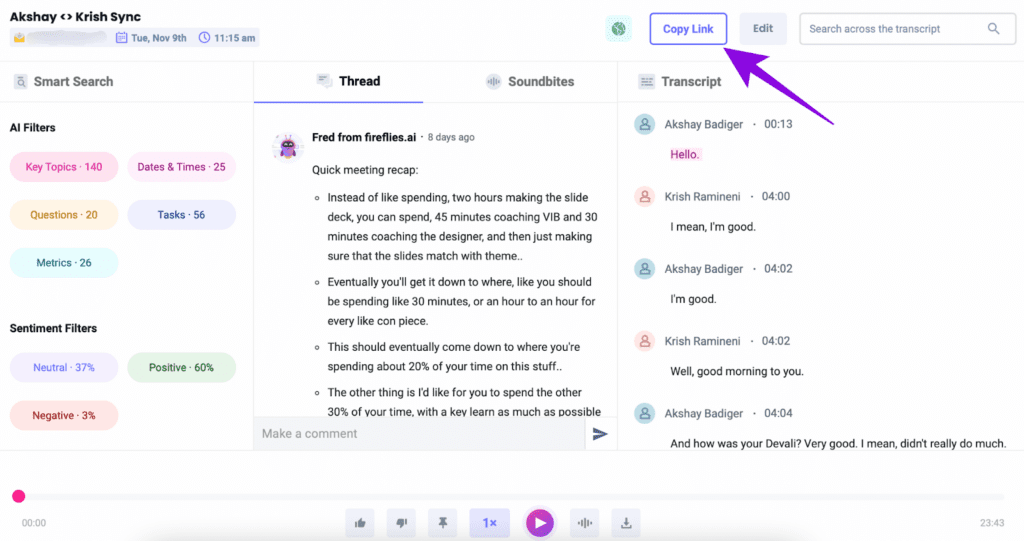
Fireflies.ai
Joins your calls automatically, transcribes with high accuracy across speakers, and outputs a summary with assigned action items. Integrates with most CRMs and project tools.
Best for individuals
Otter.ai
Real-time transcription with a generous free tier. Better for solo use or small teams that don’t need deep CRM integration. Reliable for in-person and phone recordings too.
2. AI Writing & Research
In one sentence: Not about replacing your writing — about eliminating the blank-page friction and research tab-switching that kills hours before a single sentence gets written.
Best for research
Perplexity Pro
Every answer links to a verifiable source. As of February 2026, deep research runs on Claude Opus 4.6 for Pro users. The absence of advertising means no sponsored influence on results.
Best for writing
Claude (claude.ai)
Exceptional for long-form drafts, document analysis, and nuanced instruction-following. Particularly strong at maintaining tone consistency across large documents and iterating without losing context.
3. Workflow Automation
In one sentence: Build once, run forever — but only for processes you’ve already executed manually at least 20 times and could describe in exact steps.
Important constraint
Workflow automation is the most overhyped category in the AI tool space. Zapier, Make.com, and n8n are genuinely powerful — for structured, repeatable data flows. They are not suitable for tasks requiring judgment, edge-case handling, or dynamic decisions. Treating them as general AI assistants is a common and expensive mistake.
No-code automation
Zapier
Widest app library (7,000+ integrations), fastest to set up for simple two-step automations. Higher pricing than alternatives at scale, but the reliability and breadth are unmatched.
Complex automation
Make.com
Visual workflow builder for multi-step, conditional automations. Better value than Zapier at medium-high volume. Higher learning curve but significantly more control over data routing.
4. Scheduling & Calendar Intelligence
In one sentence: Every back-and-forth email about scheduling is a solved problem — there is no reason to do it manually in 2026.
Scheduling links
Calendly
The industry standard for external scheduling. One link replaces the entire “does Tuesday work for you?” email chain. Basic features are free; advanced routing and team scheduling require paid tiers.
AI scheduling
Motion
Automatically plans your day around tasks, meetings, and deadlines. Reschedules dynamically when things shift. Unusual in that it makes decisions, not just suggestions — effective for people who over-commit.
5. Document & Knowledge Management
In one sentence: The tool category most people underinvest in — and the one that compounds the most over time.
Team knowledge
Notion AI
If your team already uses Notion, the AI layer is genuinely additive: summarize docs, generate action items from notes, translate content, draft within your existing workspace. Context-aware in a way standalone tools aren’t.
Video repurposing
Descript
Turns long-form video or audio into text, edits the audio by editing the transcript, and generates clips for different formats. Saves substantial hours for anyone producing video content regularly.
How This Actually Works Together
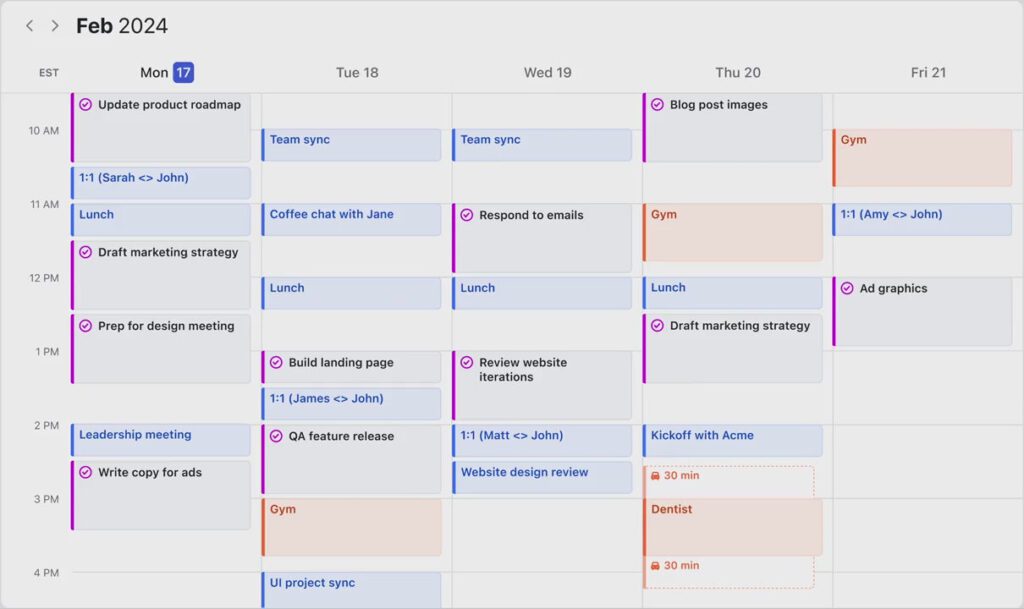
Isolated tools don’t create productivity gains. Connected workflows do. Here’s how a well-designed stack actually functions in practice — using a content/marketing professional as the example, since it’s the context where most of these tools are adopted.
Client call happens Fireflies.ai
The meeting is automatically transcribed and summarized. Action items extracted and organized by owner. Saved to your CRM or Notion workspace via native integration. Time saved: 20–30 min of manual note-writing per call.
Brief creation Claude
You paste the meeting summary into Claude with a template prompt. Claude produces a structured client brief in your format — with the right tone and detail level. First draft in under 3 minutes. You edit for 10. Total time: 13 minutes vs. 45.
Research phase Perplexity Pro
Instead of 40 minutes across 15 browser tabs, you run two focused deep-research queries. Each response links to primary sources. You can verify in seconds. You go into the creative work already informed.
Scheduling follow-up Calendly
Instead of three reply-all emails to find a review date, you send a Calendly link with available slots auto-synced to your calendar. Integration: native. Time saved: 10–15 minutes per scheduling cycle, which compounds fast across a busy week.
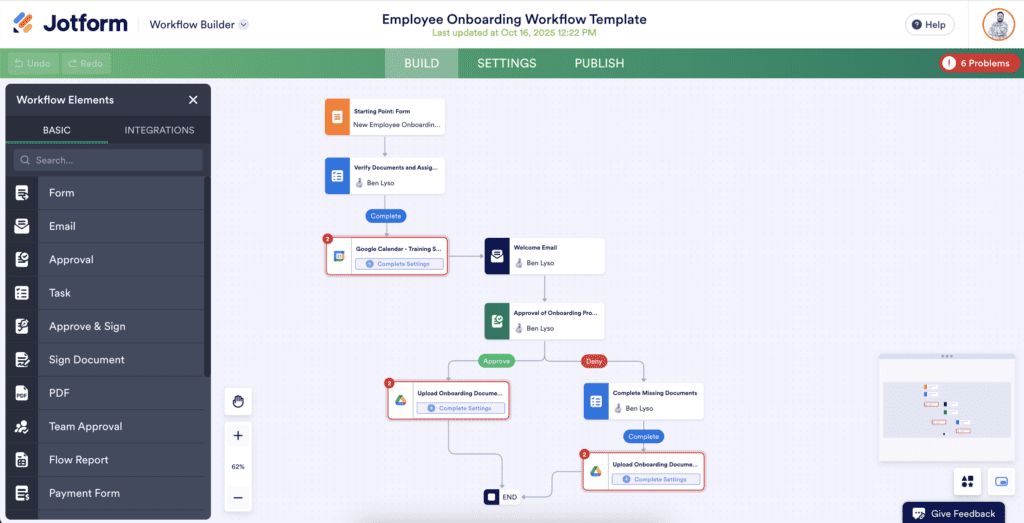
Recurring delivery automation Make.com
When the brief is approved in Notion (status change), Make.com triggers a Slack notification to the production team, creates a task in your project management tool, and logs the project in your tracking sheet. Zero manual handoffs for a process that used to take 20 minutes of coordination per project.
Integration type breakdown
Steps 1 and 5 are fully automated (native and semi-automated integrations). Steps 2 and 3 are assisted — you direct the tools, they do the heavy lifting. Step 4 is partially automated (calendar sync is automatic; the decision to send the link is still yours). This is the right balance: automate what’s predictable, assist what requires judgment.
The friction points in this workflow are worth naming honestly. Fireflies sometimes miscategorizes action items when speakers talk over each other. Claude’s first draft is usually 80% of the way there — the last 20% still requires you. Make.com breaks if someone renames a Notion field. None of this is disqualifying, but none of it is invisible either.
The 80% Solution Stack
If you’re building from scratch, this is the order of operations. Start with one, get value from it before adding the next. Two tools you actually use beat five tools you half-understand.
| # | Tool | Primary Purpose | Entry Point |
|---|---|---|---|
| 1 | Claude / ChatGPT | Writing, analysis, first drafts | Free tier available |
| 2 | Otter.ai | Meeting transcription | Free tier (limited mins) |
| 3 | Calendly | Scheduling without email chains | Free for basic |
| 4 | Perplexity Pro | Cited, real-time research | ~$20/mo |
| 5 | Zapier / Make.com | Connecting apps, automating handoffs | Free tier / ~$9–$16/mo |
Pricing ranges as of May 2026. Verify current pricing before subscribing.
The overlap trap
Adding a sixth tool to an under-optimized five-tool stack is almost always a mistake. Before adding anything new, audit what you’re already paying for. In many workflows, tools 1 and 4 already overlap significantly — and many professionals would get more ROI from mastering one AI writing tool deeply than switching between three of them.
Limitations & Honest Trade-offs
Every guide in this space undersells the downsides. Here’s what you’ll actually encounter.
Real-world constraints you will hit
- Context loss. AI writing tools have no memory between sessions unless you build that context in deliberately. Every new conversation starts from zero. Professionals who don’t account for this produce inconsistent output and spend significant time re-briefing.
- Hallucination in niche domains. General-purpose AI assistants still confidently generate inaccurate information in specialized fields — legal, medical, financial, highly technical. Perplexity mitigates this with citations; general assistants don’t. Always verify claims in high-stakes contexts.
- Automation brittleness. Workflows built in Zapier or Make.com break when connected apps update their APIs, rename fields, or change permission scopes. Plan for monthly maintenance, especially for complex multi-step automations.
- Workslop risk. A September 2025 article in the Harvard Business Review coined the term “workslop” — AI-generated content that looks productive but lacks substance. Using AI to produce volume without quality oversight actively undermines team trust and results.
- Data privacy. Most free and mid-tier AI tools process your content on external servers. If you work with confidential client data, legal documents, or proprietary strategy, check the data handling policies before inputting anything sensitive. Enterprise plans with data processing agreements exist for this reason.
- The learning curve is real. Getting from “I tried it once” to “this saves me two hours per day” typically takes two to four weeks per tool. Tools that don’t show value in week one almost never deliver transformative value in week eight.
FAQ
It depends what “everything” means. A single capable general assistant (Claude, ChatGPT) handles writing, analysis, and most thinking tasks well. But for research that requires citations, meeting transcription, or workflow automation, specialized tools still do a materially better job. The practical answer for most professionals: one strong general assistant plus two specialized tools for your biggest bottlenecks.
Free tiers are almost always worth testing first — the question is whether the limitations of the free tier accurately represent the paid experience. For AI writing tools, free tiers often cap message length or access to more capable models, which skews your judgment. For automation tools, free tiers often limit the number of tasks per month in ways that make it hard to build and test a real workflow. Start free, stress-test it, then pay only when you hit a wall that costs you real time.
Probably not both, unless you’ve identified specific tasks where one consistently outperforms the other for your use case. The marginal gain from using two similar general assistants is usually smaller than the gain from getting much better at using one. Where Claude and ChatGPT differ most is in long-document handling, instruction-following precision, and tone consistency — if those matter in your work, it’s worth testing Claude specifically for those tasks.
Build it yourself if the process is simple (2–3 steps, one trigger, one action) and you have time to learn. Hire or delegate if the automation involves multiple conditional branches, business-critical data, or needs to be maintained over time. The cost of a poorly built automation that fails silently — processing data incorrectly without alerting you — is usually higher than the cost of doing it right the first time.
Final Thoughts
Here’s the uncomfortable truth at the center of AI productivity: most people who “don’t have time to set up AI tools” are also spending 90 minutes a day doing things AI could do in 8. The bottleneck is rarely the tool. It’s the willingness to invest two weeks of slightly slower work in order to run faster for the next two years.
But there’s a second uncomfortable truth on the other side: AI tools will not fix a broken process, a bad workflow, or a job where the core problem is unclear priorities. Tools automate what you already do. If what you’re doing is the wrong thing, you’ll just do the wrong thing faster.
The professionals who will get the most from AI in 2026 are not the ones with the most tools. They’re the ones who were already good at their jobs, knew exactly where their time was going, and deployed one or two well-chosen tools against those specific drains — then got out of their own way.
Start there. Start small. And if a tool doesn’t show you measurable value in the first week, cut it.
Primary Sources
- Microsoft Work Trend Index (2024 / 2025) — Annual report on knowledge worker time allocation across communication and focused creation tasks.
- Harvard Business Review — “Workslop: AI-Generated Work Content That Masquerades as Productivity” (September 2025). Collaboration with Stanford Social Media Lab.
- Gartner AI Productivity Forecast (2024) — Projection on AI agents disrupting the $58B productivity software market by 2027.
Secondary Sources
- Yaabot — “Best AI Tools for Productivity in 2026” (May 2026) — Independent review of Perplexity Pro’s February 2026 update (Deep Research on Opus 4.6).
- The Modern Observer — “Best AI Productivity Tools That Save Hours Every Week in 2026” (March 2026).
- Manus.im — “12 Best AI Productivity Tools in 2026” — Analysis on agent vs. tool distinction in modern productivity stacks.
Last reviewed: May 2026 · Next scheduled review: August 2026
Hidden AI Codes That Shape What You See Online
AI Secrets Governments Keep Locked Away (2026): The Hidden Truth
AI in Your Pocket 2026: Shocking Secrets Your Phone Is Hiding
Real-Life AI in Finance: Who Really Wins?
Real-Life AI That Saves Lives in 2025 (and Risks Them)
The 2025 AI Scandal: Are Your Smart Devices Betraying You?
The Scariest Real-Life AI Mistakes Ever Made
Global Control: AI and the Hidden Hands 2026
AI Success Stories That Sound Unreal — But Aren’t
These AI Tools Save You Hours Every Day, And You’re Not Using Them Yet